



3.9
Free
Google Input Tools for PC
Free transliteration software

Author's review
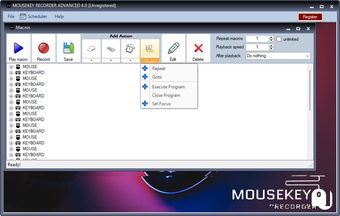
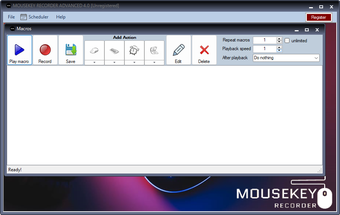
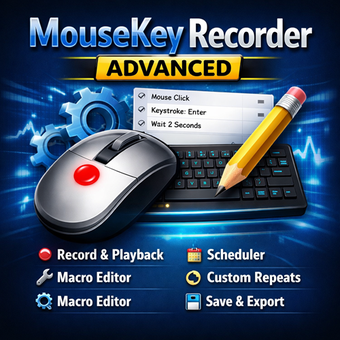
MouseKey Recorder Advanced is a powerful and user-friendly macro automation software that allows you to record mouse movements, clicks, and keyboard actions in real time and play them back automatically to automate repetitive tasks on your computer.
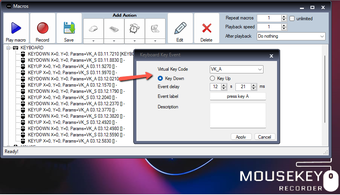
Unlike the basic version, the Advanced edition includes a built-in macro editor that lets you modify and customize your recordings after you’ve finished capturing them, giving you full control over each action in your macro. You can add or remove recorded steps, change key presses or mouse events, and refine the sequence to suit your needs.
Key features include:
Real-time recording of mouse movements, clicks, and keyboard inputs.
Customizable playback, including setting the number of repetitions and playback speed.
Scheduler options to start macros at a specific date and time.
Built-in editor to edit macros after recording, including adding or removing actions.
Save and import macro files so you can reuse or share automations.
Shortcuts: F9 to start recording, CTRL+Space to stop recording, F10 to play a macro
Compatibility with any desktop resolution.
Trial version
5.0.0
Windows
Windows 10
English
8
3.42 MB
Have you tried MouseKey Recorder Advanced? Be the first to leave your opinion!
Add review
Effortless Control with Logitech Touch Mouse Server
Efficient Keyboard Shortcut Management Tool

Keystroke launcher tool for PC

The keyboard is back

Increase or decrease the volume with your mouse

Keyboard shortcut learning tool for PC
Add new functionality to the PrintScreen key
Add macros to your keyboard

Empower your mouse

Add new functionality to manage active windows from your keyboard

LangOver: A Handy Keyboard Utility for Windows